
WordPress Website Optimization for Speed and SEO
Having a fast and search engine optimized website is crucial for any online business. Visitors want to navigate your website quickly and easily so they are more likely to abandon your site if they are put off by a slow and hard to use website.
Optimizing your WordPress site to be fast and search engine optimized will help to ensure your website loads quickly and will help search engines understand your content better, helping your relevant pages to show up in search results.
WordPress has plenty of tools and features to help optimize your website. Picking the right web host, optimizing images, using light themes, improving your content and following best practice when it comes to SEO will give you a better website.
In this guide we will show you how to speed up your WordPress site, improve your SEO and have an overall better website.
What Is WordPress Website Optimization?
Optimizing your WordPress site will improve speed and performance whilst also improving content, structure and user experience.
There are 2 key areas to focus on to optimize your site:
Speed Optimization – This will reduce any unnecessary loading times and give your pages a quick response.
SEO Optimization – This will make it easier for search engines to crawl, understand and show your website to people searching for relevant information.
Both of these work together to improve your site but having a fast site won’t necessarily get you higher rankings and SEO needs more than just technical improvements.
Why Is Website Speed Important for SEO?
A fast website will improve your users experience. If you have slow pages then your users may struggle to read, browse and fill in enquiry forms.
Google now use page experience signals such as Core Web Vitals as a ranking factor. This means they can look at aspects of your website such as loading speed, responsiveness and visual stability.
Improving your website speed can help you with:
Improved user experience – Users can now find information quickly.
Improved mobile experience – Your pages will run more smoothly on mobile.
Better conversions – Users will have a smoother experience and be able to carry out actions.
Improved browsing – Users will be able to navigate through your site with less lag.
While speed is important for your SEO, having useful content, understanding search intent, ensuring your website is accessible and relevant will still be key.
.
Best Ways to Optimize WordPress Website Speed
1. Choose a reliable hosting solution.
Hosting will affect how fast your site loads.
Poor or busy hosts can cause your site to load slowly. Choose a hosting solution with good server specification, up-to-date versions of PHP, security features and good customer support.
Managed WordPress solutions may help improve your site performance and reduce maintenance.
Choose a hosting solution based on your website needs, traffic, budget and technical requirements.
H3: 2. Choose a lightweight theme.
Themes control how your site looks. However, some themes come with extra features and scripts that you won’t need.
Choose a lightweight theme that is responsive and has all the features needed.
Try to avoid using too many plugins to do the same job. Minimise any extra animations or effects. This can help with the performance of your site and is easier to navigate.
H3: 3. Optimise images.
Large images are often why sites run slow.
Resize images to your required size before uploading. Try using modern image formats such as WebP or AVIF.
You can use image optimisation plugins to compress your images.
Ensure your image names are descriptive and for SEO, if the image is providing meaningful information then ensure you include useful alt text. Don’t over stuff your alt text with keywords.
H3: 4. Caching.
Caching will cache certain elements of your site to help speed up the site.
Depending on your hosting, you may need to use a caching plugin or caching service.
Popular WordPress caching solutions include WP Rocket, LiteSpeed Cache and W3 Total Cache. This will depend on your server.
Once enabled make sure key pages on your site are working. Ensure your menus, forms, dynamic elements and shopping features are all working correctly.
H3: 5. Minimise plugins and scripts.
Plugins can be a great addition to your site however too many or poor ones can slow down your pages.
Remove any plugins you no longer need. Are there too many plugins doing the same thing?
Don’t add too many external scripts. Keep things simple and only add the necessary tools. Test your site.
Best WordPress SEO Optimisation Tips
H3: 1. Keyword Research.
Keyword research will help you understand what your audience are searching for on Google.
Use tools such as Google Keyword Planner, Google Search Console, Semrush or Ahrefs to find keywords. This will show you what people are searching for.
A web development business would want to target keywords such as ‘WordPress website development’ or ‘WordPress speed optimisation services’.
Ensure you are targeting keywords that are relevant to your audience and what the page is about.
H3: 2. Quality SEO friendly content.
Ensure your content answers your visitor’s questions.
Use descriptive headers, short paragraphs, examples and ensure your keywords are placed naturally throughout. Ensure your main keyword is included in your title, introduction and anywhere else appropriate.
Don’t overstuff your content with keywords. Ensure every page provides a clear purpose and provides real value.=|
Use an SEO Plugin
WordPress SEO plugins can help you with optimizing page titles, meta descriptions, XML sitemaps etc.
Some popular plugins are Yoast SEO, Rank Math, All in One SEO.
Whilst these can make SEO easier, just taking all of their suggestions won’t improve your rankings. Instead, focus on making your website great.
H3: 4. Optimize Your Website Structure
Having a clear website structure will help both you and search engines understand your pages.
Ensure your website is organized into clear categories and that your navigation is using descriptive terms. Use internal linking to help connect related blog posts, service pages and resources.
If you have a blog relating to optimising WordPress speed, you could link to another article about website hosting or technical SEO.
Ensuring your hyperlinks have descriptive text.
H3: 5. Ensure Your Website is Mobile Friendly
Many people will view your website on their mobile phone. Therefore it is important that your website is optimized for smaller screens.
Use a responsive theme, ensure your text is easy to read, buttons are the right size and your images fit on the screen. Avoid having any horizontal scrolling and ensure your forms are easy to fill out.
Check key pages of your website look good on mobile devices. Avoid any issues with the layout, slow loading elements and difficult navigation.
Improve Core Web Vitals
Core Web Vitals are Google metrics that assess important aspects of page experience.
The main metrics are:
Largest Contentful Paint (LCP): Measures how quickly the main content becomes visible. A good result is 2.5 seconds or less.
Interaction to Next Paint (INP): Measures how quickly a page responds to user interactions. A good result is 200 milliseconds or less.
Cumulative Layout Shift (CLS): Measures unexpected visual movement. A good result is 0.1 or less.
These thresholds are assessed at the 75th percentile of page visits, with mobile and desktop evaluated separately.
Use Google PageSpeed Insights and Google Search Console to identify performance issues. Address the problems that have the greatest impact on real users.
Best WordPress Speed & SEO Tools
Explore these useful tools to improve website speed, optimize SEO, monitor traffic, and enhance website performance.
| Tool Name | Main Purpose |
|---|---|
| 01. Google PageSpeed Insights ↗ | Measures page performance and provides speed improvement recommendations. |
| 02. Google Search Console ↗ | Monitors search performance, indexing, and website SEO issues. |
| 03. Google Analytics ↗ | Analyzes website traffic, visitor behavior, and conversions. |
| 04. Rank Math ↗ | Helps manage WordPress SEO settings and on-page optimization. |
| 05. Yoast SEO ↗ | Helps optimize SEO titles, meta descriptions, and content settings. |
| 06. WP Rocket ↗ | Provides caching and other website performance optimization features. |
| 07. ShortPixel ↗ | Compresses and optimizes images to help reduce page size. |
Note: Some tools offer paid plans or require an account. Features and availability may vary. Test your website after making any optimization changes.
Common WordPress Optimization Mistakes to Avoid
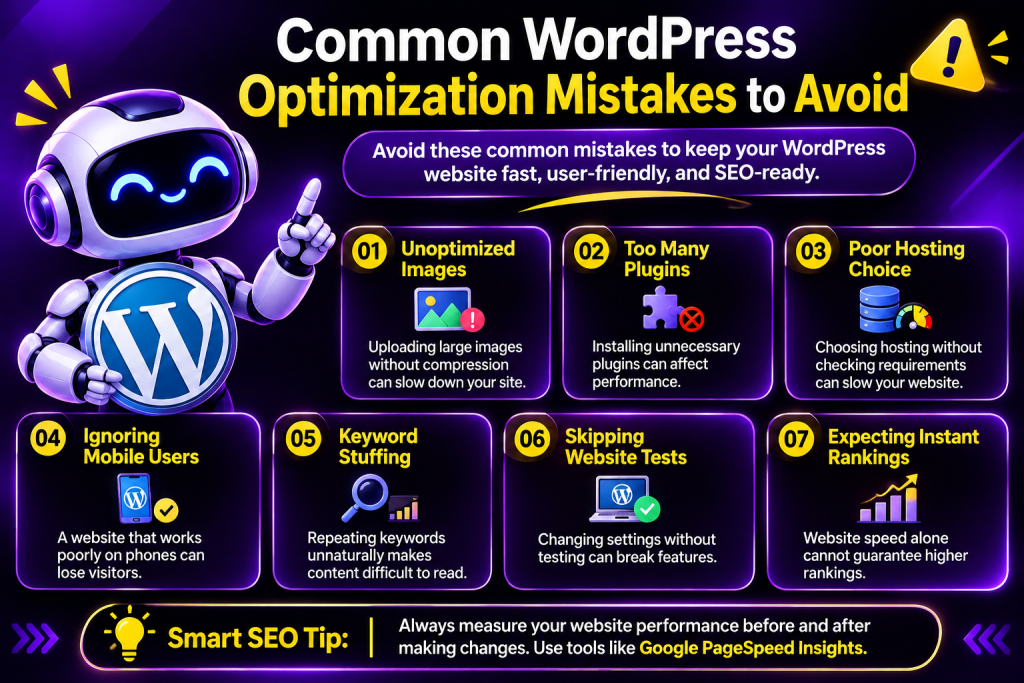
Uploading very large images without compression.
Installing too many unnecessary plugins.
Choosing hosting without checking performance requirements.
Ignoring mobile users.
Repeating keywords unnaturally in content.
Making performance changes without testing important pages.
Expecting speed improvements alone to guarantee higher rankings.
Always measure your website before and after making changes so you can understand what actually improves performance.
Frequently Asked Questions (FAQs)
: 1. How can I speed up my WordPress website?
Choose reliable hosting, optimize images, use caching, select a lightweight theme, reduce unnecessary plugins, and test your website with Google PageSpeed Insights.
H3: 2. Does website speed affect SEO rankings?
Speed and page experience can contribute to search performance, but they are not the only ranking factors. Relevant content, search intent, technical accessibility, and other signals also matter.
H3: 3. Which WordPress plugin is best for SEO?
Yoast SEO, Rank Math, and All in One SEO are popular options. The best choice depends on your preferred features and website requirements.
H3: 4. How do I check my WordPress website speed?
Use Google PageSpeed Insights to evaluate a page’s performance and review its recommendations. Google Search Console can also help you monitor Core Web Vitals across eligible website pages.
H3: 5. Can I optimize WordPress without coding?
Yes. Many improvements, such as image compression, caching, SEO settings, and responsive layouts, can be managed through WordPress plugins and hosting tools. Some advanced performance issues may require technical assistance.
H3: 6. How often should I optimize my WordPress website?
Review your website performance regularly and after major theme, plugin, content, or hosting changes. Check important pages periodically to identify new issues.
Conclusion
Optimising your WordPress site will help you achieve a faster, more SEO friendly website that will make it easier for your users to find the information they need and engage with your business.
Using quality hosting, optimising your images, adding caching, creating valuable content, improving your internal linking and monitoring your Core Web Vitals will help create a solid base.
Optimisation should be an ongoing process. Use tools to check how your site is performing, address any major issues and continue to improve your site as your business grows.