Author name: sidra@

Uncategorized

WordPress Website Optimization for Speed and SEO

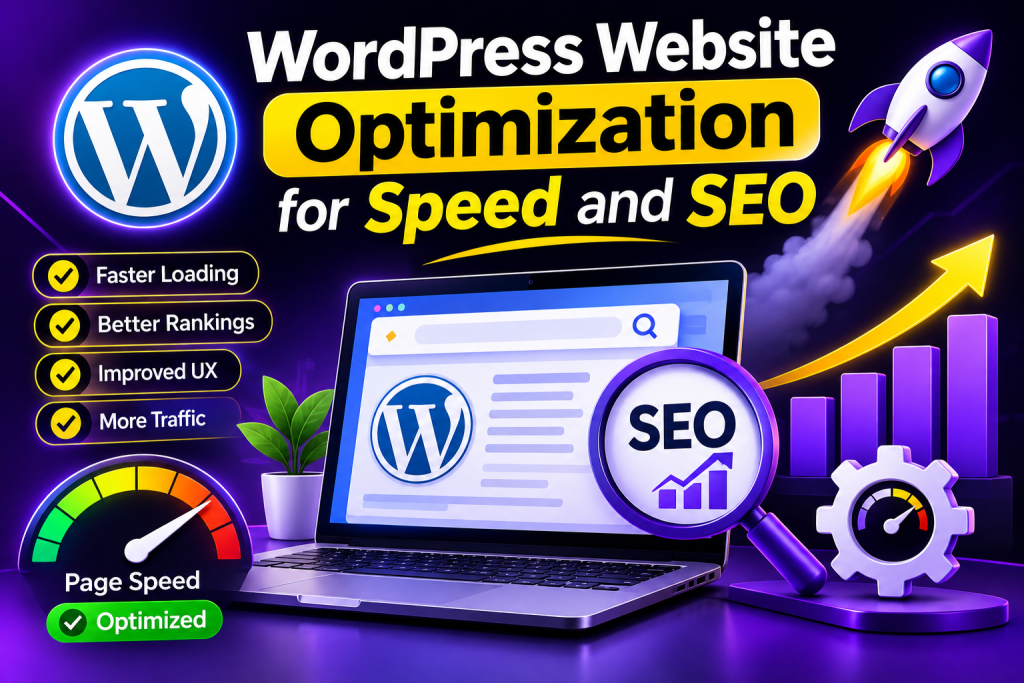
WordPress Website Optimization for Speed and SEO Having a fast and search engine optimized website is crucial for any online business. Visitors want to navigate your website quickly and easily so they are more likely to abandon your site if they are put off by a slow and hard to use website. Optimizing your WordPress site to be fast and search engine optimized will help to ensure your website loads quickly and will help search engines understand your content better, helping your relevant pages to show up in search results. WordPress has plenty of tools and features to help optimize your website. Picking the right web host, optimizing images, using light themes, improving your content and following best practice when it comes to SEO will give you a better website. In this guide we will show you how to speed up your WordPress site, improve your SEO and have an overall better website. What Is WordPress Website Optimization? Optimizing your WordPress site will improve speed and performance whilst also improving content, structure and user experience. There are 2 key areas to focus on to optimize your site: Speed Optimization – This will reduce any unnecessary loading times and give your pages a quick response. SEO Optimization – This will make it easier for search engines to crawl, understand and show your website to people searching for relevant information. Both of these work together to improve your site but having a fast site won’t necessarily get you higher rankings and SEO needs more than just technical improvements. Why Is Website Speed Important for SEO? A fast website will improve your users experience. If you have slow pages then your users may struggle to read, browse and fill in enquiry forms. Google now use page experience signals such as Core Web Vitals as a ranking factor. This means they can look at aspects of your website such as loading speed, responsiveness and visual stability. Improving your website speed can help you with: Improved user experience – Users can now find information quickly. Improved mobile experience – Your pages will run more smoothly on mobile. Better conversions – Users will have a smoother experience and be able to carry out actions. Improved browsing – Users will be able to navigate through your site with less lag. While speed is important for your SEO, having useful content, understanding search intent, ensuring your website is accessible and relevant will still be key. . Best Ways to Optimize WordPress Website Speed 1. Choose a reliable hosting solution. Hosting will affect how fast your site loads. Poor or busy hosts can cause your site to load slowly. Choose a hosting solution with good server specification, up-to-date versions of PHP, security features and good customer support. Managed WordPress solutions may help improve your site performance and reduce maintenance. Choose a hosting solution based on your website needs, traffic, budget and technical requirements. H3: 2. Choose a lightweight theme. Themes control how your site looks. However, some themes come with extra features and scripts that you won’t need. Choose a lightweight theme that is responsive and has all the features needed. Try to avoid using too many plugins to do the same job. Minimise any extra animations or effects. This can help with the performance of your site and is easier to navigate. H3: 3. Optimise images. Large images are often why sites run slow. Resize images to your required size before uploading. Try using modern image formats such as WebP or AVIF. You can use image optimisation plugins to compress your images. Ensure your image names are descriptive and for SEO, if the image is providing meaningful information then ensure you include useful alt text. Don’t over stuff your alt text with keywords. H3: 4. Caching. Caching will cache certain elements of your site to help speed up the site. Depending on your hosting, you may need to use a caching plugin or caching service. Popular WordPress caching solutions include WP Rocket, LiteSpeed Cache and W3 Total Cache. This will depend on your server. Once enabled make sure key pages on your site are working. Ensure your menus, forms, dynamic elements and shopping features are all working correctly. H3: 5. Minimise plugins and scripts. Plugins can be a great addition to your site however too many or poor ones can slow down your pages. Remove any plugins you no longer need. Are there too many plugins doing the same thing? Don’t add too many external scripts. Keep things simple and only add the necessary tools. Test your site. Best WordPress SEO Optimisation Tips H3: 1. Keyword Research. Keyword research will help you understand what your audience are searching for on Google. Use tools such as Google Keyword Planner, Google Search Console, Semrush or Ahrefs to find keywords. This will show you what people are searching for. A web development business would want to target keywords such as ‘WordPress website development’ or ‘WordPress speed optimisation services’. Ensure you are targeting keywords that are relevant to your audience and what the page is about. H3: 2. Quality SEO friendly content. Ensure your content answers your visitor’s questions. Use descriptive headers, short paragraphs, examples and ensure your keywords are placed naturally throughout. Ensure your main keyword is included in your title, introduction and anywhere else appropriate. Don’t overstuff your content with keywords. Ensure every page provides a clear purpose and provides real value.=| Use an SEO Plugin WordPress SEO plugins can help you with optimizing page titles, meta descriptions, XML sitemaps etc. Some popular plugins are Yoast SEO, Rank Math, All in One SEO. Whilst these can make SEO easier, just taking all of their suggestions won’t improve your rankings. Instead, focus on making your website great. H3: 4. Optimize Your Website Structure Having a clear website structure will help both you and search engines understand your pages. Ensure your website is organized into clear categories and that your navigation is using descriptive terms. Use internal linking to help connect
Digital Maeketing

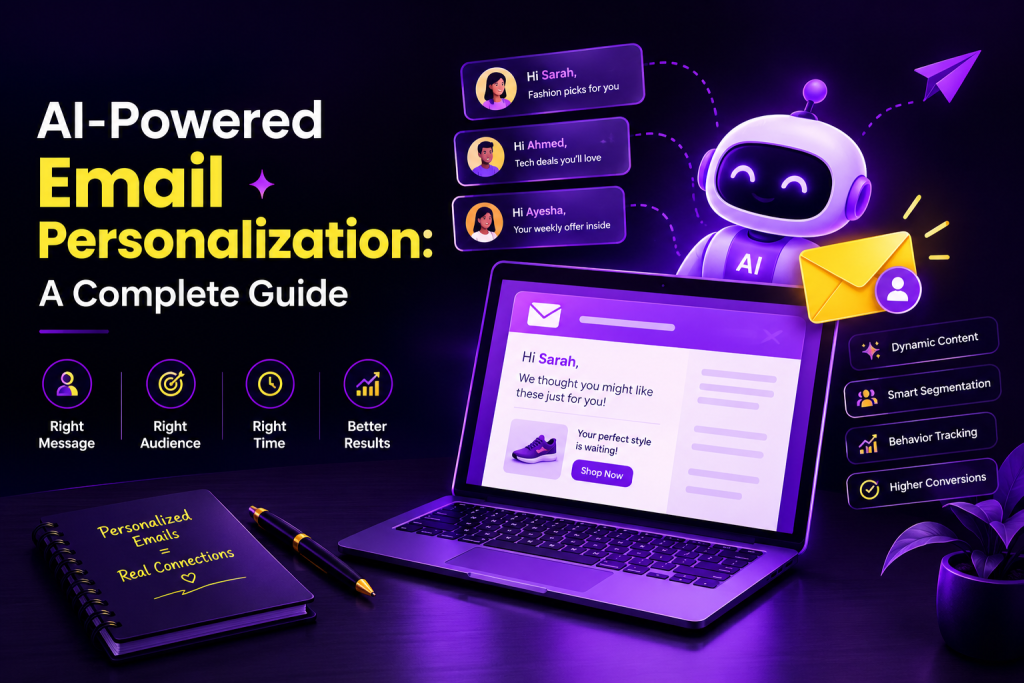
AI-Powered Email Personalization: A Complete Guide

AI-Powered Email Personalization: A Complete Guide E-mail marketing is one of the most effective ways for businesses to engage with their customers, market products and develop long-lasting relationships. However, sending the same e-mails to all your subscribers may not always provide the best results. Each customer has different interests, needs and buying behaviours. AI Email Personalization can help businesses to create a more relevant e-mail experience for their customers by using AI. This means analysing customer data, identifying their preferences and suggesting the right content. Using AI businesses can personalise their subject line, product suggestions, content and send time. In this guide we’ll explain what AI email personalization is, how it works, the benefits, examples and best practices so you can improve your e-mail marketing performance. What Is AI-Powered Email Personalization? AI-driven personalisation is using AI to tailor your email marketing. Personalising emails traditionally will include putting the customer’s name into the subject line and/or greeting. With AI, you can analyse the data you are allowed to use about your customers such as their browsing behaviour, purchase history, preferences and past email engagement. An example would be an online clothing store recommending products based on their past purchases or favourite styles. AI can also help marketers create variations of emails, identify customer segments and even predict what content may be most relevant. Overall, the objective is to provide the right message to the right person at the right time. How Does AI-Powered Email Personalization Work? Email personalization using AI takes customer data, machine learning and marketing automation to make your emails more relevant. H3: 1. Gathering Customer Data This is done by gathering the right data such as a customers preference for emails, buying history, website data and previous interactions. This should be done in a transparent way and following any privacy regulations. H3: 2. Understanding Customers Preferences Using AI to analyse the data you have available you can identify what types of customers you have. This could include frequent visitors to sportswear items or people who purchase skincare products. H3: 3. Personalize Content Using the patterns you can identify, AI tools will provide suggestions for email subjects, recommendations, offers and content. H3: 4. Send at Right Times Some email marketing tools use AI to predict the best time to send emails to your subscribers. This can help you test out different times. H3: 5. Analyze and Improve AI tools can help you analyze open rates, click through rates, conversions and unsubscribes. You can use this information to improve your future campaigns. Benefits of AI-Powered Email Personalization 1. Improves engagement Personalised emails are more likely to gain attention. Personalised subject lines with helpful information can help increase engagement. H3: 2. Higher Conversion Rates By offering customers personalized product recommendations and offers they are more likely to convert depending on how good the recommendations, audience and offer. H3: 3. Time Saving AI can help marketers create personalised emails, suggested subject lines, segment customers and automate tedious tasks. This means you can spend more time on strategising. H3: 4. Personalised Recommendations E-commerce businesses can use AI to recommend products based on customers previous purchases, behaviour and/or similar customer preferences. This can help customers find products. H3: 5. Data Insights Using AI powered analytics can help businesses see what messages are working and what improvements are needed. This will help you make better decisions with your marketing. H2: Best ways to use AI for personalization AI powered email personalization can be used throughout different stages. Personalized Subject Lines AI tools can suggest subject lines based on the email topic, audience segment, and previous campaign performance. For example, instead of sending a general subject line such as “Check Out Our New Collection,” a clothing store might use “Discover New Styles for Your Everyday Look.” The message should remain honest and relevant rather than using misleading clickbait. H3: 2. Welcome Emails When someone subscribes to a newsletter, an automated welcome email can introduce the business, explain what the subscriber can expect, and recommend relevant content. AI can help adapt the message to the subscriber’s selected interests. H3: 3. Abandoned Cart Emails Online stores can send reminders to customers who add products to their carts but do not complete their purchases. AI can help personalize the reminder with relevant product details or recommendations. Businesses should use appropriate consent and frequency limits. H3: 4. Personalized Offers and Recommendations AI can help identify relevant products, services, or promotions for different customer groups. For example, a customer who regularly purchases running shoes might receive information about running accessories. H3: 5. Re-Engagement Campaigns Businesses can use AI to identify subscribers who have stopped interacting with emails and prepare suitable re-engagement campaigns. These campaigns may include helpful updates, new product information, or an invitation to update email preferences. Best AI Tools for Email Personalization Several marketing platforms provide AI-assisted features for email creation, automation, segmentation, and performance analysis. Mailchimp: Offers email marketing automation and AI-assisted marketing features. HubSpot: Supports marketing automation, customer segmentation, and AI-assisted content creation. Klaviyo: Provides email personalization and automation features, particularly for e-commerce businesses. Brevo: Offers email campaigns, automation workflows, and customer management features. ActiveCampaign: Provides marketing automation, segmentation, and personalized customer journeys. Features and pricing vary by plan and may change over time. Choose a tool based on your business size, budget, integrations, and personalization nee Best Practices for AI-Powered Email Personalization To ensure you get the best possible results when using AI, you should: Ensure the data is accurate. Segment your audience so they can be grouped by their interests, preferences or purchasing habits. Create valuable content. A/B test your content, including subject lines, CTAs and content. Follow data protection laws to ensure you are respecting user privacy. Ensure you respect opt-ins and unsubscribes. Track key metrics including conversions, clicks and unsubscribes. Ensure you have a manual process in place to check the accuracy, tone of voice and brand of your AI content. Personalisation should always be used to enhance the customers experience. You

Digital Maeketing

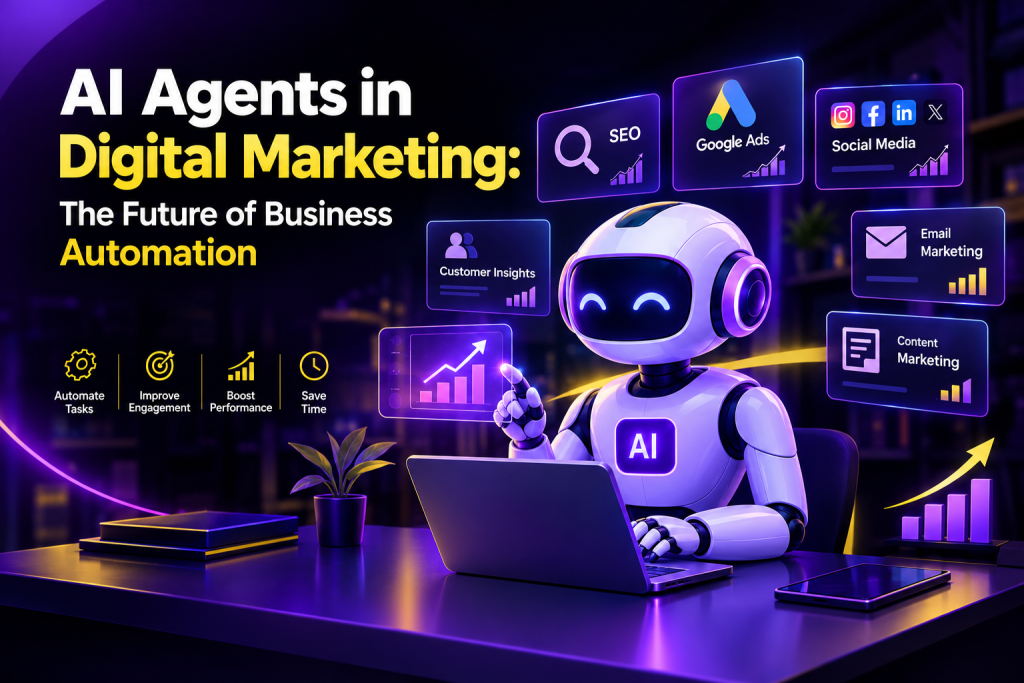
AI Agents in Digital Marketing: The Future of Business Automation

AI Agents in Digital Marketing: The Future of Business Automation Artificial Intelligence is transforming the marketing functions within businesses. With AI tools businesses can save time, become more efficient and make smarter decisions through using AI tools when creating marketing content. One of the latest trends within AI is using AI agents. Unlike traditional automation tools, AI agents have the ability to understand objectives, analyse information, plan and perform specific tasks with minimal human input. Depending on how they’re created, they can be used with integrated tools and adapt their methods depending on what the outcome is. Many businesses are now looking into using AI agents to help improve customer service, manage their marketing campaigns, create insights and reduce repetitive tasks. Within this blog we’ll look at what AI agents are, how they work, the benefits they provide and how they can be used. We’ll also look at why they may become an important aspect of business automation in the future. What Are AI Agents in Digital Marketing? AI agents are intelligent software designed to achieve certain objectives. They are capable of gathering information, understanding tasks, making decisions and carrying out actions. Within digital marketing, AI agents can be used for keyword research, monitoring campaigns, qualifying leads, communicating with customers and providing reports. An example of an AI marketing agent would be an agent that looks at traffic on your website and identifies which pages are losing traffic. It will then suggest ways to improve the page and create a report for the marketing team. However, an AI agent will not do everything for you perfectly. The capabilities of an agent are dependant on the model underneath, the data it has access to, tools it can access, permissions and human supervision. How Are AI Agents Different From Traditional Automation? Traditional automation processes usually happen based on set rules. An example would be sending a welcome email through an email automation system when a customer subscribes to your newsletter. An AI agent will look at a customers history and find the relevant information to recommend what the best step is for them to take, within allowed guidelines. The key point here is that traditional automation is using set processes whilst AI agents can make decisions based on the context. How do AI agents work in digital marketing? AI agents usually follow a process. Understanding the Objective The agent will understand a goal, such as better quality leads, finding content opportunities or tracking how advertising is performing. Gathering & Analysing Data The agent will look at relevant data from approved sources, such as campaign reports, website analytics, customer interactions or keyword tools. Planning the Next Step The agent will decide what steps can be taken to reach the goal. This could be suggesting new keywords, content ideas or identifying poor performing ads. Taking Action & Assessing If there are tools available and permission given the agent can carry out approved tasks. They can look at the results and make suggestions on how to improve further. It is important to have humans involved in any actions made, especially if they are affecting advertising spend, customer data, content that will be made public or important business decisions. Top uses of AI agents in digital marketing AI agents can help with a variety of marketing tasks. Whether they are useful depends on your business and what you need. AI Agents for SEO SEO includes keyword research, content optimisation and analysis, plus tracking. AI agents can help with identifying keyword opportunities, analysing pages on your website, identifying gaps and creating reports. An agent may analyse a range of blog posts and recommend pages to update or improve their internal linking. AI recommendation must be checked for accuracy, relevancy and that they comply with search engines. H3: 2. Content Marketing Creating valuable content can be a time-consuming process. Using AI agents can help with researching topics, creating content calendars, outlining articles and analysing how well content is performing. They can help turn your blog post into other content types including social media captions, email summaries and short video scripts. The final content should be edited by a human to ensure it remains unique, accurate, fits your brand and is useful to your audience. H3: 3. Google Ads AI agents can help marketers analyse campaigns, identify changes in performance, group keywords and recommend changes to budgets. An agent may highlight that a campaign is performing poorly with increasing costs. The marketer can investigate and decide what changes to make. Any changes to your campaigns should have clear budget limits, approvals and performance measures in place. H3: 4. Social Media Marketing Social media marketing can be time consuming, requiring regular posting, engaging with your audience, keeping up to date with trends and analysing performance. AI agents can help you come up with ideas, create posting schedules, sort comments into categories and create draft responses to common questions. This will reduce any repetitive tasks and allow your marketing team to get creative. H3: 5. Lead Generation and Email Marketing AI agents can help you identify potential leads, organise enquiries and prioritise them using approved customer details. They can help with segmenting your audience, suggesting personalised content and analysing campaign performance. For example you could use an AI agent to sort your incoming enquiries into categories based on services they’re interested in and create appropriate follow-up messages to review. You should always abide by any relevant privacy laws and ensure you have the necessary permissions. Don’t send any misleading or unwanted communications. Benefits of AI Agents for Businesses Strategic use of AI agents can provide many benefits. H3: 1. Save Time + Improve Productivity By completing repetitive tasks such as data gathering, report organisation, and draft creation, AI agents free up more time for your marketing team to spend on strategy, creative and engagement. H3: 2. Enables Quick Decision Making With huge amounts of data being analysed by AI agents, it enables faster identification of patterns and opportunities for marketers

Digital Maeketing

AI Marketing Automation

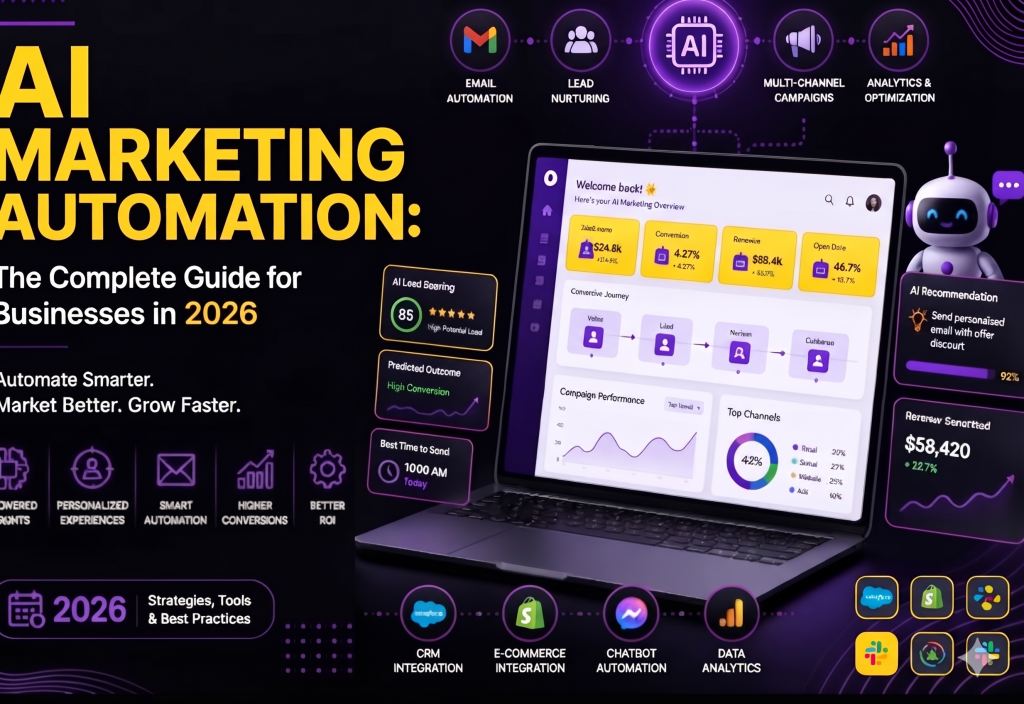
AI Marketing Automation: How to Grow Your Business Smarter in 2026 Marketing is transforming as more companies are using Artificial Intelligence (AI) to better understand their customers, create content, run campaigns and improve performance. Many time-consuming tasks can be supported by automation tools and AI. AI marketing automation is a strategy which uses artificial intelligence and automation to help businesses better communicate with their customers. This can include automatically sending welcome emails to new subscribers, suggesting products based on a customer’s interests or using AI tools to see which campaigns are working well. Not only does it save businesses time, but it can help them provide customers with more accurate communications, meet their needs and make data-driven decisions. In this guide, we’ll cover what AI marketing automation is, how it works, the benefits of using it, common tools and practical strategies to help your business grow in 2026. What Is AI Marketing Automation? AI marketing automation uses artificial intelligence and automation tools to plan, organise, personalise and improve your marketing efforts. Traditional marketing automation will use set rules. For example, when a new subscriber signs up to your newsletter, they’ll automatically receive a welcome email. AI marketing automation can take this a step further by using the data available to identify patterns and predict what topics your customers are likely to be interested in, making it easier for you to personalise your communication with them. These can be used for email marketing, social media management, generating leads, segmenting customers, optimising advertising and providing customer support. For example, if you run an online clothing store, when customers visit your website and look at a specific category you may want to use your marketing system to suggest related items or send them relevant messages (assuming they’ve given their permission). This means you can provide more relevant communication. How Does AI Marketing Automation Work? AI Marketing Automation uses customer data, automation and AI to aid marketing. H3: 1. Customer Data Marketing can gather data from web visits, emails, purchases and customer forms (and other linked data) depending on privacy regulations. This gives insight into customer behaviour and interests. H3: 2. Customer Behaviour Analysis Using AI tools you can analyse the data you have to look for trends. This will help to segment customers with similar interests. It can also help predict what products or messages might be relevant to your audience. This isn’t always 100% accurate so it is a good idea to keep an eye on results and not assume anything about individual customers. H3: 3. Automation Workflows You can create workflows to complete certain tasks. For example, sending a welcome email once someone has subscribed or notifying sales when a qualified lead completes an enquiry form. H3: 4. Targeted Marketing AI can help personalise your subject line of emails, recommend products, suggest content and advertise. This should be helpful to your customers and should be respectful. H3: 5. Reviewing Performance Marketing platforms can help you review how well your campaigns are doing. This can give insight into how many clicks, conversions, engagement and revenue you’re getting. From this information marketers can improve their workflows, try out new messages and make better decisions. Benefits of AI Marketing Automation There are many benefits of using AI marketing automation. H3: Saves Time Marketing teams can often waste a lot of their valuable time by doing manual processes like setting up email campaigns, lead management, reports and other repetitive tasks. With automation many of these can be done for you. Employees will have more time for strategic thinking, creativity and focusing on the customer experience. For example a business can set up an automated email drip campaign. H3: Better Personalisation Customers will engage with your messages more if they feel it is relevant to them. With AI you can personalise recommendations for your customers based on what you know about them. This can create a much more useful communication. H3: Lead Generation and Nurturing An AI system can help you identify high quality leads, organise customer data and know who to prioritise for follow up. For example, a digital marketing agency can capture new enquires automatically, allocate to a sales rep and send relevant information to potential customers. Care should be taken to ensure you are not overlooking useful leads due to lead scoring. H3: Better Decision Making Using AI tools will help you analyse the data from your campaigns and identify patterns. This will help you understand which channels, messages and audiences to focus on for further experimentation. However, you should always ensure that the recommendations from the AI are not taken at face value and are instead analysed against the business outcomes. Enables More Consistent Customer Communication Automated workflows can allow you to send messages at the right time in the customer journey. This could be an email welcoming them to your business, reminder emails for appointments, abandoned cart messages and post purchase follow-ups. By keeping communication consistent it can create a better customer experience. H3: 6. Helps businesses scale their marketing As a business grows you will have more customers and more campaigns to manage. AI marketing automation can help you manage increased volumes of communication without having to increase every part of your marketing manually. However workflows will still need to be monitored and maintained. Types of AI Marketing Automation Email Marketing Automation Email marketing automation sends messages based on customer actions, preferences, or predefined schedules. AI can assist with audience segmentation, subject-line suggestions, and campaign analysis. Examples: Welcome emails Product recommendations Follow-up emails Customer re-engagement campaigns Post-purchase messages Social Media Marketing Automation Social media can be used to help plan out your social media posts, and track engagement, comments and insights. AI can help you generate ideas, write captions and analyse what’s trending. Your posts will still need to be checked by a human to make sure they are in line with your brand style and the information is correct. H3: 3. Advertising Using AI within your advertising platforms

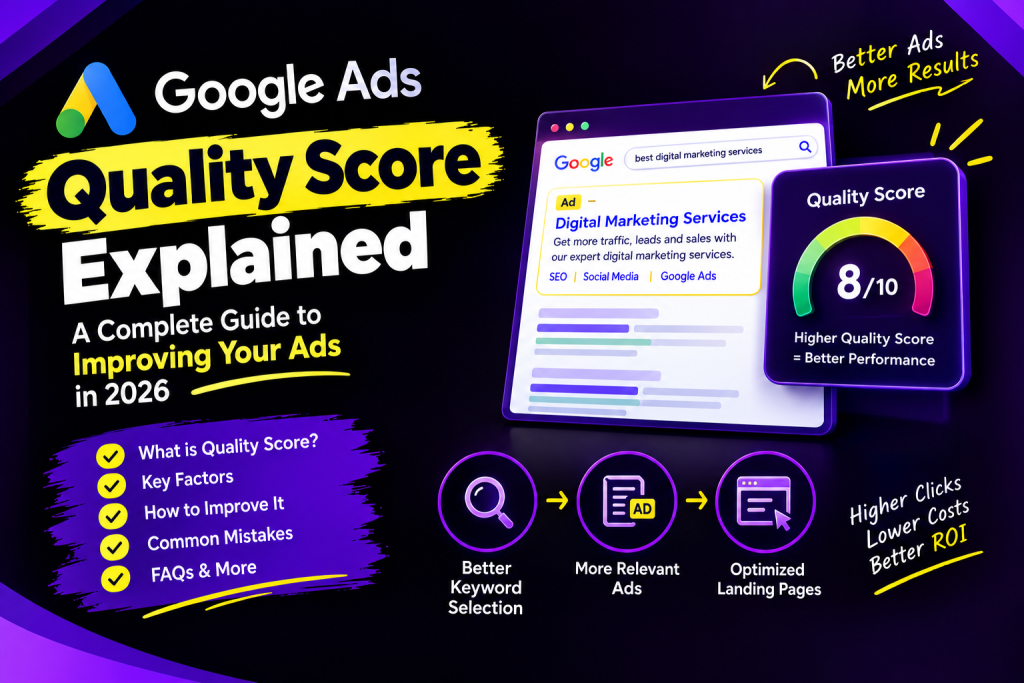
Google Ads Quality Score infographic showing key factors, ad relevance, landing page optimization, and tips to improve ad performance.
Google Ads

Google Ads Quality Score Explained: A Complete Guide to Improving Your Ads in 2026

Google Ads Quality Score Explained Google Ads is one of the most popular online advertising platforms that allow organizations to bid on search terms and place their ad copy in front of the target audience. Yet, bidding on keywords and designing catchy headlines and text isn’t enough. One should take into account that the created advertisement should be relevant and match the landing page that appears after clicking on the ad. The main key performance indicator (KPI) that shows how successful the Google advertising campaign is by comparing it to the average Quality Score of similar ads in the auction is Google Ads Quality Score. Essentially, this metric evaluates the relevance of advertisements, keywords, and landing page. Understanding the scoring system and learning how to improve it is essential in getting the best possible score. This guide will discuss what Google Quality Score is, how it works, factors that influence it, and the best practices to boost it. What Is Google Ads Quality Score? Google Ads Quality Score is a diagnostic metric that rates the quality of your keywords and related advertising experience on a scale of 1 to 10. Google calculates this keyword-level score using three main components: Expected click-through rate (CTR) Ad relevance Landing page experience Each element may be graded as Below average, Average, or Above average. Quality Score assists the advertisers in the comparison of their ads on the basis of the same search terms with others’ advertisements. It should be remembered that Google considers this score as a diagnostic instrument and not as an input for the auction process directly. For instance, if your keyword’s score is 4 out of 10, you should take a close look at the expectation of CTR, ad relevance, and landing page. It is not essential to aim for the highest score, but it is critical to make your advertisement relevant and beneficial for the customers. Why Is Google Ads Quality Score Important? Quality score helps in understanding how well the keywords, ads, and landing pages rank together to meet the expectations of users. H3: 1. Helps Recognize Issues With Advertising A low score may indicate that the advertisement lacks strong relevance to the search term or that the landing page is unsatisfactory. By analyzing all three factors, one can easily detect which element requires optimization. Otherwise, if the quality score is high, this means that no changes are necessary. H3: 2. Enables More Relevant Advertising High relevance is one of the most significant advantages provided by quality scores. In case of proper organization, the advertisement will have a better chance of appearing when users search online using specific keywords. Moreover, the ad will address their queries more specifically, which means that the customers will find exactly what they are looking for. H3: 3. Enhances Landing Page Experience A high-quality landing page enables the user to receive the information that they need quickly and easily. First of all, it should be visually appealing so that the customer would not leave it immediately after opening. Secondly, it should contain valuable content and be easy to navigate. It goes without saying that the faster the page opens and the more useful information it provides, the more satisfied the user will be. H3: 4. Allows Optimizing the Campaign As has been mentioned above, quality score serves as a basis for optimizing the keywords, ads, and landing pages. However, even though it may boost the campaign’s performance, it does not guarantee any specific results such as reduced cost per click or increased conversion rate. What Are the Three Main Factors of Google Ads Quality Score? Expected CTR estimates how probable it is that your ad will get a click for the specific keyword. It is based on data about how Google’s algorithm is likely to react to the queried term independently on its position and other factors. An appealing ad with a good match to the search term can entice users to click on it. How to improve expected CTR: Write clear and engaging headlines. Match your ad message to the keyword. Explain the main benefit of your product or service. Use relevant calls to action. Add suitable assets, such as sitelinks, when helpful. Avoid misleading promises or unrelated messages. Example: If someone searches for “SEO services for small businesses,” an advertisement that clearly offers SEO services for small businesses is more relevant than a generic advertisement about digital marketing. Ad Relevance Ad relevance measures how closely your advertisement matches the intent behind a user’s search. If your keywords, headlines, descriptions, and offer are connected, your advertisement can provide a more useful experience. How to improve ad relevance: Organize keywords into closely related ad groups. Write ad copy that matches the keywords in each group. Include relevant terms naturally in headlines and descriptions. Make the advertised offer clear. Avoid placing unrelated services in the same ad group. Ensure the ad accurately describes the landing page. Example: Suppose you run a campaign for website development services. An ad group targeting “WordPress website development” should contain ads focused on WordPress development rather than unrelated services such as email marketing. This makes the relationship between the keyword and advertisement clearer. H3: 3. Landing Page Experience Landing page experience evaluates how useful and relevant your landing page is for people who click your ad. Even a well-written advertisement may perform poorly if the destination page is confusing, slow, difficult to use, or unrelated to the search. How to improve landing page experience: Make sure the page matches the advertisement. Provide the information promised in the ad. Improve page loading speed. Make the page mobile-friendly. Use clear headings and readable content. Make contact forms and buttons easy to find. Avoid intrusive pop-ups. Keep important information accurate and easy to access. Example: If your advertisement promotes Google Ads management, the landing page should explain your Google Ads service, its benefits, your process, and how customers can contact you. Sending visitors to an unrelated homepage may create a less helpful

Digital Maeketing

Digital Marketing in the Age of Answers

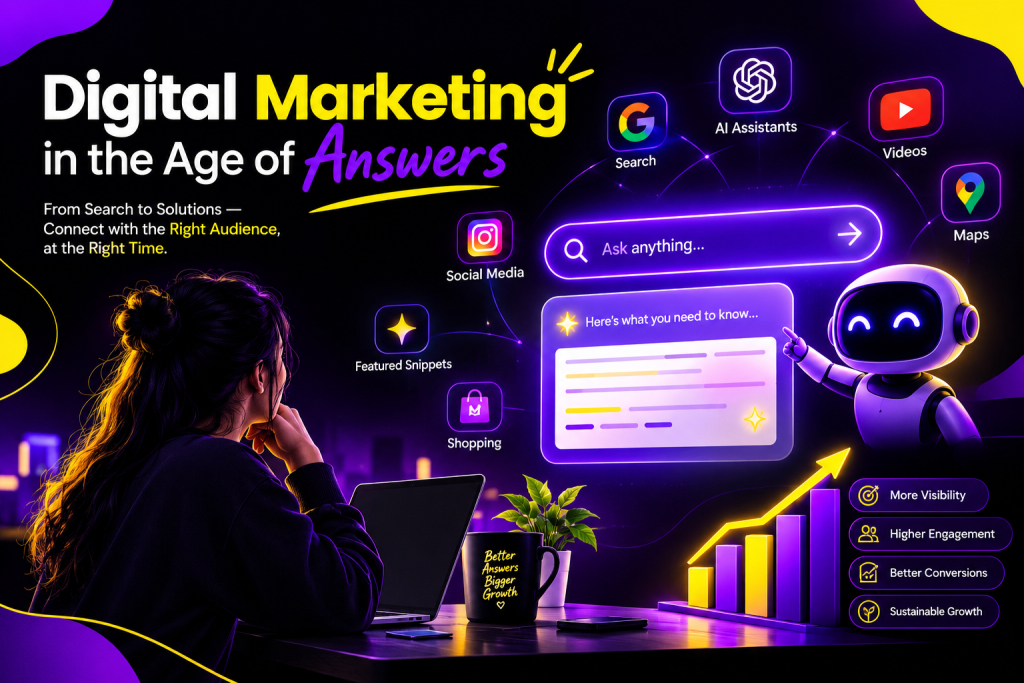
Digital Marketing in the Age of Answers The way in which people search for information on the web is rapidly evolving. There is a growing trend in which searchers ask natural language questions that are answered directly by AI search tools instead of having to sift through a list of results to find relevant resources. This phenomenon is what we refer to as the Age of Answers. What this means for marketers is that optimizing your website so that it shows up higher on the search engine results page is no longer enough. You must be able to provide search engines and customers with information that is easily understood and acted upon. From SEO and content marketing to social media and AI optimization, discover all the ways in which digital marketers need to adapt in this era of answers. In this blog, we will discuss the impact of the age of answers on digital marketing. What Is the Age of Answers? The Age of Answers describes a search environment where users increasingly expect direct, useful answers to their questions. Traditional search usually works like this: User searches → Search engine shows links → User visits websites → User finds an answer AI-powered search can change the experience: User asks a question → AI understands the query → AI generates or summarizes an answer → User may explore supporting sources This does not mean traditional search has disappeared. Instead, search is becoming more conversational, contextual, and answer-focused. For businesses, the important question is no longer just: “How do I rank on Google?” It is also: “How can my brand become a trusted source for answers?”   How AI Is Changing Digital Marketing Artificial intelligence is set to revolutionize every element of digital marketing. From analyzing information to studying the audience, generating content ideas, automating repetitive tasks, personalizing the experience and recognizing patterns, AI can help marketers in so many ways. Search is also moving towards more conversational interfaces where users are asking questions rather than just typing in a few words. Instead of searching for something like: “best digital marketing agency” users could ask the following question: “What should a small business look for when choosing a digital marketing agency?” This means that there are exciting opportunities for companies that can produce high quality, comprehensive and trustworthy content. From Keywords to Questions Traditional SEO often focuses heavily on keywords. Keywords remain important, but marketers should also understand the questions and problems behind those searches. Instead of creating content only around a keyword, businesses should answer: What is the user trying to understand? What problem are they trying to solve? What follow-up questions might they have? What information would help them make a decision? This approach can make content more useful for both people and modern search systems. Why SEO Still Matters in the Age of Answers The rise of AI does not make SEO irrelevant. Because SEO helps search engines to find, understand and evaluate the content of a web page. Moreover, proper SEO practices allow you to shape the desired perception among customers. The main directions of SEO are: Helpful and relevant content Search intent Clear website structure Internal linking Descriptive titles and headings Technical SEO Mobile-friendly design Page experience Accurate and updated information Relevant authority and references The difference is that SEO is becoming broader. Businesses need to think beyond traditional rankings and consider how their information may be discovered across different search experiences. The Rise of Answer Engine Optimization Answer Engine Optimization (AEO) focuses on making content easier for systems that provide direct answers to user questions. The goal is not simply to rank for a keyword. It is to provide information that clearly answers a user’s question. H3: How to Optimize Content for Answers Businesses can improve answer-focused content by: Answering questions directlyGive a clear answer before adding deeper explanations. Using descriptive headingsOrganize content around meaningful questions and topics. Adding useful examplesExamples make complex concepts easier to understand. Using structured informationLists, tables, steps, and clearly organized sections can improve readability. Building topical depthCover the main topic and closely related questions comprehensively. Keeping information accurateReview and update content when facts, products, or industry practices change.   Content Marketing in the Age of Answers Content marketing is shifting its focus toward helpfulness and expertise. Publishing vast amounts of generic content is no longer sufficient in and of itself. Firms must create content that actually helps people and instills confidence in their brands. Useful forms of content include: How-to guides Detailed blog posts FAQs Case studies Comparison articles Original research Tutorials Expert insights Checklists Industry reports For example, instead of writing a general article titled “What Is SEO?”, a business could create a comprehensive guide explaining how SEO works, common mistakes, practical examples, and frequently asked questions. Create Content That Deserves to Be Cited In an answer-focused search environment, businesses should strive to create informative, helpful, credible and well-researched content, wherever appropriate. Original insights, first-hand research and expert opinions, along with examples and credible references, will help businesses create the most value from their content. The basic idea is simple: Don’t create content for the sake of ranking, but rather create content worth finding. Brand Visibility Is Becoming More Important In traditional search, a user typically sees several sites (in search engine result pages) and then goes to a site. In an AI powered search experience, the user may see a summary of an answer that may include or credit multiple sources. This means brand presence and visibility matters even if a user isn’t clicking through to a site. Businesses need to work across channels to build their presence including: Websites Search engines Social media Business profiles Industry websites Review platforms Video platforms Online communities A strong and consistent digital presence can help people recognize and trust a brand across different discovery channels. H2: How Businesses Can Adapt to the Age of Answers Businesses do not need to completely abandon traditional marketing strategies. Instead, they should expand them. H3:

Google Ads

Google Ads vs SEO: Which is better for your bussiness?

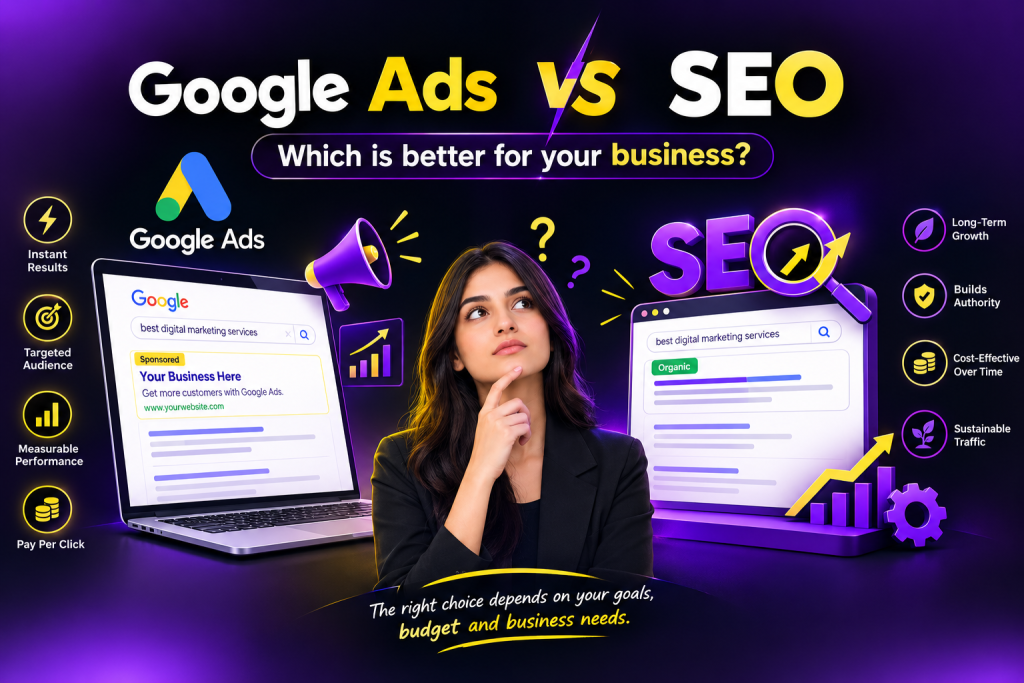
Google Ads vs SEO: Which Is Better for Your Business? In the contemporary digital age, businesses must invest significantly in their online presence to sell products and services conveniently and attract new customers. Two popular options for improving a company’s visibility on Google are Google Ads and Search Engine Optimization. However, which of these two is more advantageous to a business? The answer depends primarily on the company’s objectives, budget, the level of competition in its area, and the speed with which it wants to see results. Google Ads allows companies to appear prominently in search results by paying for the placement of links, images, video, or text ads. SEO refers to optimizing a website’s content and structure so that it appears in search results for specific queries without additional payment. In this article, we will compare Google Ads and SEO and highlight the advantages and disadvantages of each. What Is SEO? Search Engine Optimization (SEO) is the process of improving your website so that it can appear higher in organic search results on search engines like Google. SEO focuses on different areas, including: Keyword optimization High-quality content Website structure Technical SEO On-page SEO Off-page SEO Backlinks Mobile optimization User experience For example, if you own a digital marketing agency and optimize your website for the keyword “digital marketing agency in India,” your goal is to make your website appear in Google’s organic results when people search for that term. How Does SEO Work? Unlike many other marketing areas, SEO usually presupposes some knowledge of what exactly your target audience is searching for and what kind of information and services they are looking for. Since search engines consider a plethora of different criteria, one cannot just stuff a site with keywords in order for it to appear in search results. SEO requires good quality, informative and relevant content, which would be easy to find, navigate and cite. What Are Google Ads? Google Ads is Google’s online advertising platform through which businesses can pay to advertise their products and services on Google’s advertising network. By using Google Ads, businesses can advertise specific: KeywordsLocationsAudiencesDevicesSearch queriesInterests An example of an advertisement using Google Ads would be for a business offering Website Development services. Such a business could create an advertisement targeting keywords like “Website development company” or “Web development services.” The moment a client searches for one of these targeted terms, a relevant ad can show up prominently in search results. Google Ads vs SEO: Key Differences Although both strategies can help businesses attract customers from search engines, they work differently. Factor Google Ads SEO Traffic Type Paid Organic Results Usually faster Usually slower Cost Pay for advertising Investment in SEO work/content Long-Term Value Requires ongoing ad spend Can provide lasting organic visibility Control High control over targeting Less direct control over rankings Testing Easy to test campaigns Takes more time to evaluate Competition Higher bids can affect costs Competitive rankings can take time Best For Quick traffic and conversions Long-term growth Benefits of Google Ads H3: 1. Faster Results One of the major benefits of Google Ads is speed. Once your campaign is set up and running, you start getting impressions and clicks almost immediately. Google Ads is therefore a great fit when you need to advertise a new product, service, offer, or event. H3: 2. Target the Right Audience With Google Ads, there are multiple ways of targeting the exact audience you want to reach out to. From location targeting to keyword and audience segmentation, the platform offers you a variety of options that let you narrow down on the most relevant group of potential customers. This means you don’t waste your money on everyone, just the most qualified leads. H3: 3. Measurable Results With Google Ads, every penny you spend is measurable. In fact, the platform gives you a lot of data at your disposal to see what your campaigns are and where they can be improved. The following are some of the most important metrics that you can analyze and use to tweak your campaigns: • Number of clicks • Number of impressions • Number of conversions • CTR (click-through rate) • Cost per click (CPC) • Cost per conversion H3: 4. Target Your Money-Making Keywords If you’re going after keywords that are highly competitive and it’s taking too long to rank for them, then Google Ads can buy you time while you continue working on your SEO. Benefits of SEO H3: 1. Long-Term Visibility SEO or search engine optimization helps websites appear in natural search results by constantly providing useful information and following specific rules. If the page is optimized correctly, it will continue to attract for as long as the website is operational without spending money on each surfer. H3: 2. No Dependence on Paid Promotion At the same time, one should understand that to maintain organic traffic, one needs to invest heavily in SEO. Unlike paid promotion, which only requires a budget to be allocated to пpc advertising, SEO requires ongoing investment in content, coding, research, and optimization. H3: 3. Authority Building SEO also allows you to build authority by providing useful and relevant content that people are looking for. This will increase the authority of the page and, as a consequence, its visibility in the search engine. H3: 4. Growth Leverage SEO is often the cornerstone of a firm’s long-term growth strategy. SEO supports the conversion lifecycle at different levels: from educating the consumer about the problem to comparing potential solutions and facilitating the final purchase decision. Google Ads vs SEO: Which Is More Cost-Effective? The answer is based on what your business needs. With Google Ads, as a rule, you pay for advertising traffic – that is, for clicks or specific actions on your website, depending on the campaign type; and the cost depends on how much money you spend on promoting your business on Google. At the same time, with SEO optimization, you pay for the development and optimization of your site

SEO

On-Page SEO Checklist for Higher Rankings

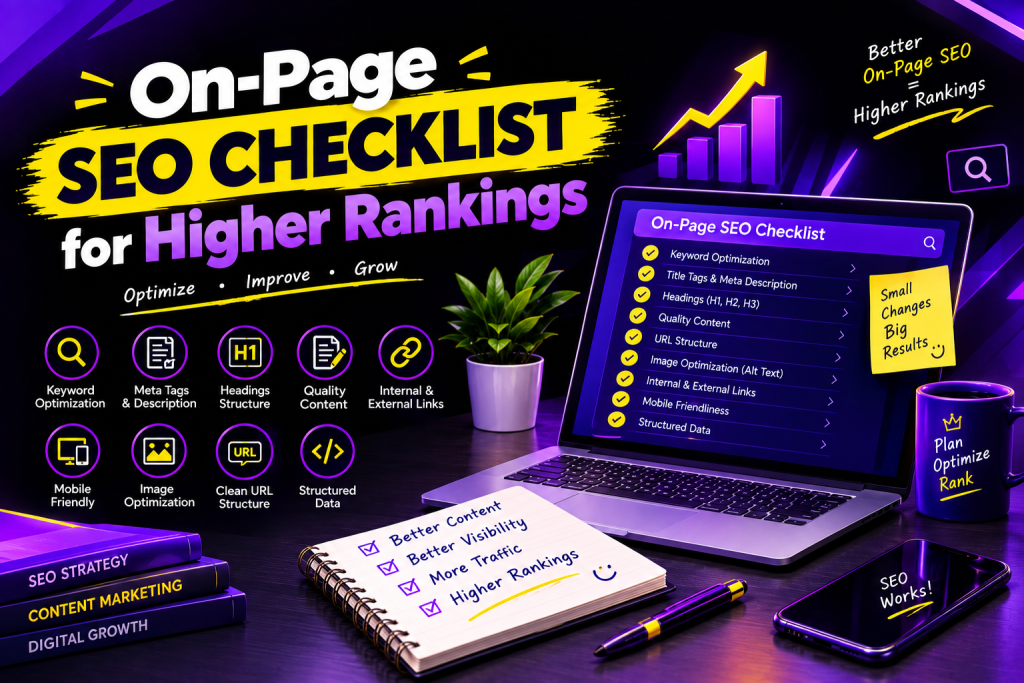
On-Page SEO Checklist for Higher Rankings Looking to improve your website’s ranking in Google? On-page SEO is one of the key factors that influence the visibility of a website in search results. It refers to optimizing the content and structure of your web pages to make it easier for search engines to understand and for users to navigate. In short, on-page SEO practices focus on page titles, headings, URL, images, keywords, and content. Although the optimization of these 6 aspects of web pages can sometimes be a small detail, they collectively have a significant impact on the performance of your site. However, when most people are talking about on-page SEO, they often mean keyword research, placement, and density. While keywords are essential elements of SEO, one should not focus too much on them, as it may result in low-quality and unhelpful content. Below, you will find a comprehensive list of on-page SEO optimization tactics to help you drive traffic to your website, attract the right audience, and increase conversions. What Is On-Page SEO? On-page SEO refers to the process of optimizing the website and its pages to help rank higher on the search engine results pages (SERPs) and offer a better experience to the users. It is one of the main areas of SEO that involve on-site elements such as content, title tags, headings, images, internal links, and URL. For instance, optimizing an article about digital marketing will be achieved by including relevant keywords, using informative headings, and adding links to related content and web pages. At the same time, on-page SEO should also be optimized for users and not just search engines. Why Is On-Page SEO Important? On-page SEO plays an important role in helping your website perform better in search results. Here are some key benefits: Improves search visibility: Well-optimized pages can help search engines understand your content and identify relevant searches. Attracts relevant traffic: Using appropriate keywords helps connect your pages with people searching for related information. Enhances user experience: Clear headings, readable content, and useful links make your website easier to explore. Supports content quality: On-page optimization encourages you to create organized, helpful, and relevant content. Helps search engines understand your pages: Proper titles, headings, and descriptive links provide useful context. Remember, on-page SEO can support higher rankings, but no checklist can guarantee a particular position on Google. Complete On-Page SEO Checklist for Higher Rankings These are the critical SEO on-page optimization tips that will drive sustainable traffic to your site. H3: 1. Pick the Right Primary Keyword When optimizing your web pages, pick the primary keyword that best matches a topic your page is about and what your target audience is searching for. Do keyword research and try to address the user intent behind keyword queries. Checklist: Pick one primary keyword to optimize your page Find secondary keywords related to your primary keyword Address the user’s intentDo not stuff keywordsUse keywords in your content regularly H3: 2. Optimize Website Title TagA title tag is an HTML element that describes the content on a web page. It appears on the SERPs next to the URL, so it must be optimized to increase the likelihood of attracting a click from a prospect. Checklist: Stuff the primary keywordMake the title unique and attractive for each pageMake the title readable and not stuffed with keywordsH3: 3. Write an SEO-Friendly Meta DescriptionA meta description is an HTML element that summarizes the content on a web page. It appears underneath the headline in the SERPs. The meta description is a great place to market your page by summarizing its benefits and encouraging the prospect to visit your page. Checklist:Write a description that summarizes the page’s contentsAdd the primary keywordAppeal to the user’s intentMake the description unique for each pageWrite it in an attractive wayGoogle may alter the snippet that appears in the SERPs, so it may differ from the description you wrote.H3: 4. Optimize HeadingsMultiple heading tags help organize the written content on your page. Moreover, they tell the search engines what the contents of your page are about and what keywords you have included.Checklist:Use one primary heading (H1)Break up the written content into sections and subsections using H2 and H3Optimize the headings by including relevant keywordsMake the headings descriptive and easy to read H3: 5. Write High-Quality and Useful ContentHigh-quality content is essential for any SEO strategy. Your texts need to be written in such a way that they answer the user’s questions fully or at least partially. It means that your content should not be keyword-stuffed but rather contain significant volumes of relevant information. To optimize your content, you may use keyword-rich phrases several times per paragraph.Checklist:Answer the user’s questions fullyWrite the paragraphs in a way that anyone can understandInclude additional tips and informationAvoid using copied or keyword-stuffed contentMake sure your content does not have irrelevant informationMake sure your article is up-to-date and does not have any broken linksWrite enough content to fully cover the topicH3: 6. Optimize the Web Address or URLA web address or URL is a unique identifier of a web page. Your prospects will see the URL, so it is necessary to optimize the addresses of your web pages.Checklist:Make sure URLs are easy to read and conciseAdd the main keyword if relevantUse hyphens to separate words in the URLAvoid using unnecessary numbers and special charactersMake sure URLs follow a specific patternAvoid using random letters and numbersExamples:Example.net/on-page-seo-checklist (recommended)Example.net/page?id=98765H3: 7. Optimize Photos and GraphicsPhotos and graphics play an essential role in any online content. They make the page easier to read and visually appealing. However, images should also be optimized.Checklist:Use relevant and high-quality imagesWrite descriptive alt textMake sure images are compressed and do not have a larger size than necessaryUse descriptive file names with keywordsSpecify the image format (JPG, PNG, WEBP) Add Internal and External Links Links help visitors discover more information and give search engines useful context about your content. Checklist: Link to relevant pages on your website. Use descriptive anchor text. Link to trustworthy

SEO, Uncategorized

Keyword Research Using AI

Keyword Research Using AI: A Complete Guide to Smarter SEO in 2026 Introduction Keyword research is one of the most essential aspects of Search Engine Optimization (SEO). It lets businesses see what individuals are looking for on the web and the subjects they need to cover in their site material to attract traffic. The process, however, can be quite time-consuming, especially if sifting through search terms, competition, and intent. Lucky for us, search engine optimization keyword research is one of the areas where artificial intelligence (AI) can make our jobs much easier. AI-driven tools are transforming how marketers find keywords, examine trends, and create SEO-friendly content. The technologies could recommend related search terms, address keyword gaps, and collect and organize reams of information much faster. For bloggers, digital marketers, business owners, and SEO newbies, learning about keyword research and utilizing AI is a great way to start building an excellent SEO strategy. In this blog, we will discuss everything about using AI for keyword research, including the benefits, tools, and methods. What Is Keyword Research Using AI? Keyword research using AI refers to utilizing artificial intelligence technologies to identify, analyze, and collect search terms. While researching keywords, you typically look for search volume and difficulty. Using AI can make keyword research much easier since it can help come up with variations of a keyword and identify related topics. Let’s say you have a digital marketing blog and decide to target the keyword “SEO tips.” An AI tool can recommend related keywords and topics, such as: SEO tips for beginners How to improve website rankings On-page SEO checklist Technical SEO best practices AI tools for SEO These suggestions can help you discover new blog ideas and understand what your audience may be looking for. However, AI-generated suggestions are not automatically verified keyword data. You should use dedicated SEO tools to check search volume, competition, and relevance. Why Is AI Important for Keyword Research? AI is revolutionizing keyword research with its ability to free marketers to get the work done. H3: 1. Save Time and Effort With the help of artificial intelligence, one can easily come up with a list of ideas and relevant keywords in seconds. Instead of brainstorming and coming up with keyword suggestions, artificial intelligence can help come up with possible keywords and group them according to topics. H3: 2. Target Long-Tail Keywords Long-tail keywords are search phrases that are usually long and highly specific. Targeting long tail keywords is easier with the help of artificial intelligence. For instance, in addition to targeting “digital marketing,” one can dig deeper and come up with relevant searches, such as “digital marketing strategies for small businesses.” This way, one can come up with better keywords that target a niche audience. H3: 3. Know Search Intent In general, search intent refers to the reasons why people search online. For instance, one might want to find a specific website, compare products, conduct research, and so on. With the help of artificial intelligence, keywords can be separated into certain types of search intents to help one come up with relevant ideas. H3: 4. Discover Content Opportunities Artificial intelligence can help one identify content opportunities, such as related topics and questions. By discovering related topics and issues, businesses can develop new content and improve the ones they already have. H2: Top 8 AI Tools For Keyword Research In 2026 There are several digital tools that one can use for keyword research. The following are the best AI tools for keyword research in 2026. How to Do Keyword Research Using AI: Step-by-Step Guide H3: Step 1: Choose Your Main Topic The first thing to do is pick a topic that is relevant to your business, website, or target audience. For instance, if you have a digital marketing blog, your main topic could be “social media marketing.” Put this phrase into an AI and ask it to come up with keyword ideas. H3: Step 2: Ask an AI to Come up with Keyword Ideas Ask an AI tool to come up with primary, secondary, tertiary keywords, and frequently asked questions (FAQs) about the topic. Here is what you can say: Step 3: Analyze Search Volume and Keyword Difficulty After completing the keyword list, it is possible to move on to the next step in SEO content creation. It includes performing keyword research with the help of SEO tools. One should look for keywords that are relevant and have a reasonable level of difficulty, considering the website’s possibilities. It is essential to analyze the search volume and competition and identify which keywords will be the most beneficial for the website. At the same time, one should remember that high search volume does not always equal high traffic. H3: Step 4: Understand Search Intent It is also critical to understand the search intent behind keyword queries. In particular, it is necessary to distinguish between informational, navigational, commercial, and transactional searches. For example, a query about the definition of email marketing is clearly informational, while a request for the best email marketing software is commercial. After identifying search intent, it is possible to choose the type of content and its format to answer the query. H3: Step 5: Create an SEO Content Plan The next step is to create a content plan based on keyword clusters. In particular, it is necessary to separate keywords for topics and determine the primary and additional keywords for each post. Then, using keyword research and the search intent behind it, it is possible to plan content, headlines, and frequently asked questions. Traditional Keyword Research vs. AI Keyword Research Comparison Traditional Keyword Research AI Keyword Research Process Mostly manual research and analysis AI-assisted research and analysis Speed Can take more time Generates keyword ideas quickly Keyword Ideas Relies on SEO tools and manual brainstorming Suggests related keywords and topics Search Intent Requires manual analysis Helps identify possible search intent Long-Tail Keywords Found through keyword tools and research Generates specific, question-based keyword ideas Data Analysis Often

SEO

Top 10 SEO Trends Every Business Should Follow in 2026

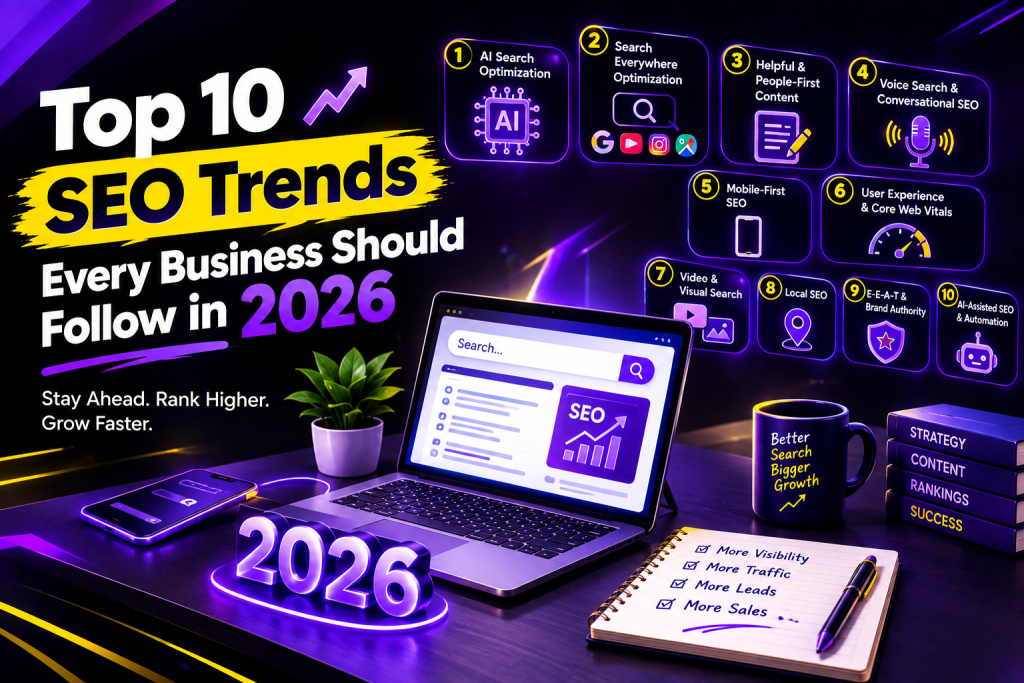
Top 10 SEO Trends Every Business Should Follow in 2026 Search Engine Optimization Trends for Businesses in 2026 Blog1 SEO is an evolving concept, and as search engines become more intelligent and users interact with them in different ways, new techniques have to be developed to improve the discoverability of web content. Businesses must keep up with the latest trends and continuously optimize their sites to remain visible in search results. With the rise of artificial intelligence, changing consumer behavior, mobile-first indexes, and a focus on quality, SEO will see several transformations by 2026. Modern consumers use Google��、social media, AI-driven tools, and voice assistants to research and buy products and services. As a result, businesses need to optimize their websites not only for search engines but for various platforms to ensure they are found by the right customers. Both small organizations and large corporations with in-house SEO divisions must understand the importance of using the latest SEO methods and techniques. Any company that wants to improve its online visibility and attract more traffic should consider this article’s information. In this post, we will discuss ten different SEO trends that will dominate the industry in 2026 and provide some ideas on how businesses can take advantage of them. 1. AI-Powered Search Optimization Artificial intelligence is transforming search engines and the way they respond to queries. Google’s AI Overviews and AI Mode offer succinct answers and websites relevant to the search. Businesses need to create informative content that will provide value to customers. How to optimize for AI search: Produce informative and organized articles use descriptive headings and subheadings answer questions and cite credible sources. AI search optimization is not a definitive science, but websites with quality content and SEO-friendly URLs will improve a search engine’s ability to crawl and index the site. 2. Search Everywhere Optimization People are no longer relying on only one source of information, Google. Instead, they use Google, YouTube, Instagram, Pinterest, Online marketplaces, and artificial intelligence. Search Everywhere Optimization ensures that your brand is visible and accessible to people searching on their preferred channels. How to do it: Optimize social media profiles Produce search-friendly videos for YouTube Write articles for blogs Ensure uniformity of information Having a strong presence on multiple platforms will increase the likelihood of your brand being discovered by more people. 3. Helpful and People-First Content High-quality content is the cornerstone of SEO in 2026. Search engines are all about satisfying user intent. It is a must for businesses to create content that goes beyond keywords and actually provides value to the audience. Following are some tips for creating high-quality content: Be original and offer practical solutions. Simplify the language and make it easy to follow. Back up your arguments with credible evidence. Keep your information up to date. High-quality content is essential to engage visitors and improve one’s SEO performance in the long run. 4. Voice Search and Conversational SEO Voice search refers to instances where users utilize their smartphones, smart speakers or voice assistants to ask verbal questions. Typically, rather than typing search terms into a browser, consumers use a more natural way of speaking. For instance, instead of typing in the search term “best SEO agency,” a person could ask a question such as “Which SEO agency can help my small business improve its Google rankings?” Voice search optimization tips Use conversational long-tail keywords Add frequently asked questions (FAQs) Provide straight answers to questions Ensure your website is mobile-friendly By implementing these voice search optimization techniques, you will be able to target customers searching for information using conversational queries. H2: 5. Mobile-First SEO In today’s world, everyone surfs the internet on their smartphones, whether it is to read news articles, watch videos or shop online. Therefore, businesses need to use mobile-first SEO to ensure that their website is easily accessible and can provide a positive experience to mobile users. In addition, remember that Google uses the mobile version of a website for its indexing and ranking processes. Below are some of the best practices for mobile SEO. Use a responsive website builder Ensure that your website is mobile-friendly Use larger font sizes Optimize buttons and links Avoid pop-ups Mobile SEO is crucial because most consumers visit websites on their smartphones. A mobile-friendly website encourages interaction while a poorly optimized site scares customers away. H2: 6. User Experience and Core Web Vitals User experience is one of the most important aspects of any business. Consumers want websites to load quickly, be highly responsive and provide them with the information they seek without any effort. Core Web Vitals refer to the online metrics that determine the extent to which a website provides a positive experience to the user. Some of the best practices that you can adopt to improve your website’s performance include Using compressed images Avoiding scripts Using a reliable web hosting service Improving your website’s responsiveness Using Google Search Console to monitor the website’s vitals A fast-loading and responsive website is vital in today’s online environment where everyone is in a rush. A positive user experience encourages one to continue interacting with your website. H2: 7. Video SEO and Visual Search There is no doubt that videos are the most popular type of media online. Customers prefer watching a video review of a product to reading a descriptive blog post. As a business owner, you can capitalize on the power of videos to improve your SEO. Some of the best practices in video and visual search optimization include Using video titles Adding relevant keyword descriptions to your videos Adding captions and transcripts to your videos Describing images appropriately Using image visual search tools By creating informative videos and using the right SEO techniques, you can encourage customers to discover your brand through visual content. H2: 8. Local SEO and Google Business Profile Local SEO is a vital marketing strategy that ensures that your business appears in local searches. Location-based searches are becoming increasingly popular as consumers look for products and

Scroll to Top