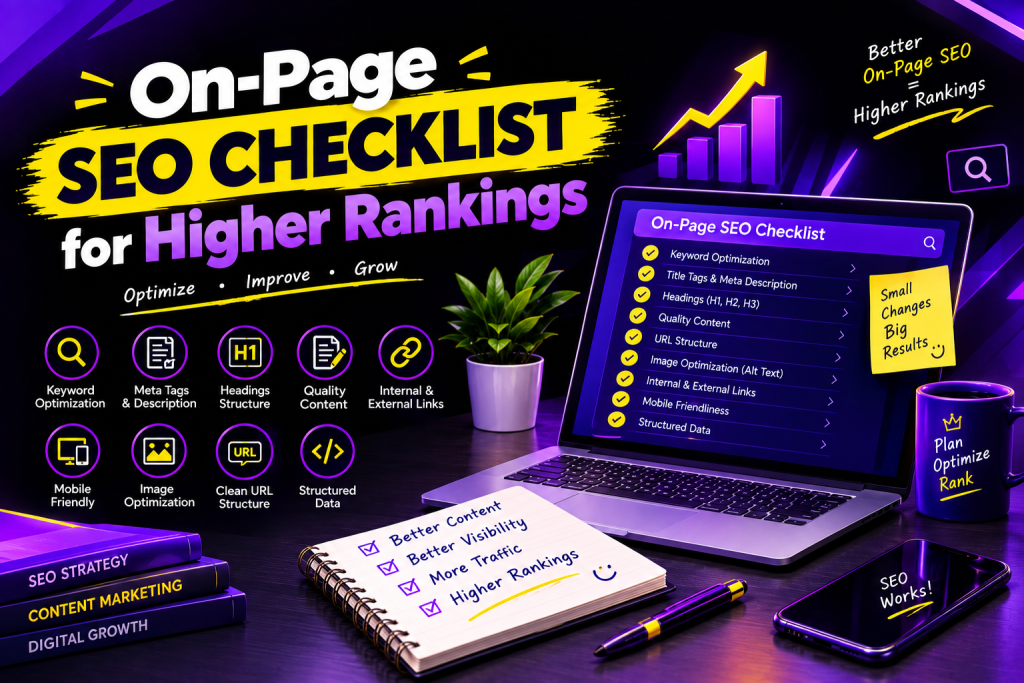
On-Page SEO Checklist for Higher Rankings
On-Page SEO Checklist for Higher Rankings Looking to improve your website’s ranking in Google? On-page SEO is one of the key factors that influence the visibility of a website in search results. It refers to optimizing the content and structure of your web pages to make it easier for search engines to understand and for users to navigate. In short, on-page SEO practices focus on page titles, headings, URL, images, keywords, and content. Although the optimization of these 6 aspects of web pages can sometimes be a small detail, they collectively have a significant impact on the performance of your site. However, when most people are talking about on-page SEO, they often mean keyword research, placement, and density. While keywords are essential elements of SEO, one should not focus too much on them, as it may result in low-quality and unhelpful content. Below, you will find a comprehensive list of on-page SEO optimization tactics to help you drive traffic to your website, attract the right audience, and increase conversions. What Is On-Page SEO? On-page SEO refers to the process of optimizing the website and its pages to help rank higher on the search engine results pages (SERPs) and offer a better experience to the users. It is one of the main areas of SEO that involve on-site elements such as content, title tags, headings, images, internal links, and URL. For instance, optimizing an article about digital marketing will be achieved by including relevant keywords, using informative headings, and adding links to related content and web pages. At the same time, on-page SEO should also be optimized for users and not just search engines. Why Is On-Page SEO Important? On-page SEO plays an important role in helping your website perform better in search results. Here are some key benefits: Improves search visibility: Well-optimized pages can help search engines understand your content and identify relevant searches. Attracts relevant traffic: Using appropriate keywords helps connect your pages with people searching for related information. Enhances user experience: Clear headings, readable content, and useful links make your website easier to explore. Supports content quality: On-page optimization encourages you to create organized, helpful, and relevant content. Helps search engines understand your pages: Proper titles, headings, and descriptive links provide useful context. Remember, on-page SEO can support higher rankings, but no checklist can guarantee a particular position on Google. Complete On-Page SEO Checklist for Higher Rankings These are the critical SEO on-page optimization tips that will drive sustainable traffic to your site. H3: 1. Pick the Right Primary Keyword When optimizing your web pages, pick the primary keyword that best matches a topic your page is about and what your target audience is searching for. Do keyword research and try to address the user intent behind keyword queries. Checklist: Pick one primary keyword to optimize your page Find secondary keywords related to your primary keyword Address the user’s intentDo not stuff keywordsUse keywords in your content regularly H3: 2. Optimize Website Title TagA title tag is an HTML element that describes the content on a web page. It appears on the SERPs next to the URL, so it must be optimized to increase the likelihood of attracting a click from a prospect. Checklist: Stuff the primary keywordMake the title unique and attractive for each pageMake the title readable and not stuffed with keywordsH3: 3. Write an SEO-Friendly Meta DescriptionA meta description is an HTML element that summarizes the content on a web page. It appears underneath the headline in the SERPs. The meta description is a great place to market your page by summarizing its benefits and encouraging the prospect to visit your page. Checklist:Write a description that summarizes the page’s contentsAdd the primary keywordAppeal to the user’s intentMake the description unique for each pageWrite it in an attractive wayGoogle may alter the snippet that appears in the SERPs, so it may differ from the description you wrote.H3: 4. Optimize HeadingsMultiple heading tags help organize the written content on your page. Moreover, they tell the search engines what the contents of your page are about and what keywords you have included.Checklist:Use one primary heading (H1)Break up the written content into sections and subsections using H2 and H3Optimize the headings by including relevant keywordsMake the headings descriptive and easy to read H3: 5. Write High-Quality and Useful ContentHigh-quality content is essential for any SEO strategy. Your texts need to be written in such a way that they answer the user’s questions fully or at least partially. It means that your content should not be keyword-stuffed but rather contain significant volumes of relevant information. To optimize your content, you may use keyword-rich phrases several times per paragraph.Checklist:Answer the user’s questions fullyWrite the paragraphs in a way that anyone can understandInclude additional tips and informationAvoid using copied or keyword-stuffed contentMake sure your content does not have irrelevant informationMake sure your article is up-to-date and does not have any broken linksWrite enough content to fully cover the topicH3: 6. Optimize the Web Address or URLA web address or URL is a unique identifier of a web page. Your prospects will see the URL, so it is necessary to optimize the addresses of your web pages.Checklist:Make sure URLs are easy to read and conciseAdd the main keyword if relevantUse hyphens to separate words in the URLAvoid using unnecessary numbers and special charactersMake sure URLs follow a specific patternAvoid using random letters and numbersExamples:Example.net/on-page-seo-checklist (recommended)Example.net/page?id=98765H3: 7. Optimize Photos and GraphicsPhotos and graphics play an essential role in any online content. They make the page easier to read and visually appealing. However, images should also be optimized.Checklist:Use relevant and high-quality imagesWrite descriptive alt textMake sure images are compressed and do not have a larger size than necessaryUse descriptive file names with keywordsSpecify the image format (JPG, PNG, WEBP) Add Internal and External Links Links help visitors discover more information and give search engines useful context about your content. Checklist: Link to relevant pages on your website. Use descriptive anchor text. Link to trustworthy